
 By admin

Introduction:
In today’s digital era, data has become one of the most valuable assets for individuals and businesses alike. From high-resolution videos to critical business documents, our devices are constantly accumulating vast amounts of data. While cloud storage has gained popularity, external hard drives remain one of the most reliable, secure, and cost-effective solutions for data storage and management.
An external hard drive is essentially a portable storage device that connects to a computer through a USB, Thunderbolt, or other interface. It functions like an internal hard drive but operates independently and externally, offering flexibility, portability, and additional storage capacity. Modern external hard drives come in a variety of sizes—from compact 250GB drives to massive 20TB systems—catering to users ranging from casual consumers to large-scale enterprises.
This article explores three major uses for external hard drives—data expansion, shared storage, and secure backup of important files—and how modern technology has enhanced their capabilities.
1. Expanding Your Computer’s Storage Capacity
Outgrowing Internal Storage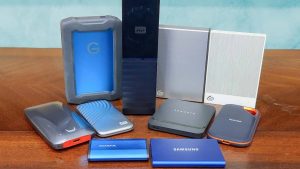
One of the most common reasons people turn to external hard drives is to increase storage space. Over time, even computers with large internal drives can become cluttered with software, games, videos, photos, and system updates. When your internal drive reaches capacity, performance may suffer—slowing down boot times, application launches, and file transfers.
Rather than upgrading your entire system or replacing your internal drive (which can be complicated and expensive), an external hard drive provides an instant and simple solution.
Plug-and-Play Expansion
Modern external hard drives are typically plug-and-play, meaning they require no technical setup. Once connected to your computer via USB or Thunderbolt, they are recognized immediately and can be used to store data. This is especially convenient for laptop users, who often have limited space for internal drives.
Ideal for Gamers and Creative Professionals
External hard drives have also become indispensable for gamers, photographers, videographers, and designers. Games and creative software suites now require massive storage capacities—some individual games exceed 100GB, and video editing projects can easily consume terabytes of space.
By using an external hard drive, professionals can store raw video footage, project files, and game libraries without overburdening their primary drive. Furthermore, the latest Solid State Drive (SSD) models offer high-speed data transfer rates, reducing loading times and improving overall workflow efficiency.
2. Shared and Network Storage Solutions
Turning an External Drive into a Shared Resource
Another practical use for an external hard drive is as a shared network storage device. By connecting it to a single computer and configuring file-sharing settings, multiple users on the same network can access, upload, and download files. This creates a miniature home or office server—ideal for families, small businesses, or teams collaborating on shared projects.
For example, you can share photos, videos, documents, and music among several devices, freeing up internal storage on each user’s computer. It also simplifies file management since all shared files are stored in one centralized location.
NAS and Cloud Hybrid Options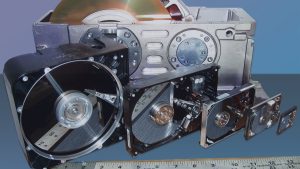
Many users today pair their external hard drives with Network Attached Storage (NAS) or cloud backup systems. NAS devices use multiple external or internal drives to create a network-based storage hub that can be accessed remotely. Meanwhile, external drives can be configured to automatically back up NAS systems or synchronize with cloud services like Google Drive, Dropbox, or OneDrive.
This combination offers the best of both worlds—local storage for speed and security, and cloud storage for accessibility and redundancy.
Collaborative Environments and Media Libraries
External hard drives also make excellent media libraries for creative teams or households. For instance, streaming devices like Plex servers or smart TVs can read files directly from an external drive. This allows everyone in the household to enjoy stored media—movies, music, or recorded content—without using internet bandwidth or relying on streaming subscriptions.
3. Backing Up and Protecting Important Documents
The Importance of Secure Data Backup
In an age where cyber threats, system crashes, and hardware failures are increasingly common, data backup has never been more critical. An external hard drive provides a safe and offline method for protecting your most important digital assets.
Unlike cloud storage, external drives are not vulnerable to online hacking, ransomware attacks, or server outages. They give you full control over your data, ensuring that sensitive documents remain private and secure.
Archiving Vital Information
External hard drives are ideal for storing copies of critical personal and business records such as:
- Wills, property deeds, and legal contracts
- Tax records and financial documents
- Insurance and medical information
- Business reports and client files
- Educational or creative portfolios
For extra security, you can use encryption software or built-in features like BitLocker (Windows) or FileVault (macOS) to password-protect your data.
Disaster Recovery and Physical Protection
One of the most effective strategies for data safety is maintaining an offline backup stored in a physically secure location—such as a fireproof safe or safety deposit box. In the unfortunate event of a burglary, natural disaster, or computer crash, your information remains intact and recoverable.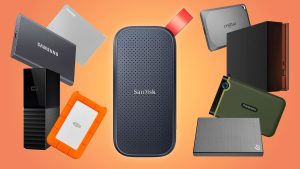
To ensure maximum reliability, experts recommend using the 3-2-1 backup strategy:
- Keep three copies of your data
- Store them on two different media (e.g., internal and external drives)
- Keep one copy offsite or in the cloud
This layered approach dramatically reduces the risk of total data loss.
4. Modern Developments in External Hard Drive Technology
From HDDs to SSDs
Traditional Hard Disk Drives (HDDs) remain affordable options for bulk storage, but Solid State Drives (SSDs) are rapidly taking over the market. SSDs use flash memory instead of spinning disks, offering faster speeds, improved durability, and lower power consumption.
External SSDs are now capable of transfer speeds exceeding 2,000 MB/s, making them perfect for high-performance tasks like 4K video editing, gaming, and virtual machine hosting.
Portable and Rugged Designs
Manufacturers now produce ruggedized external drives that resist water, shock, and dust—ideal for travel or outdoor use. Some models even feature hardware encryption and biometric security for enhanced protection.
Compatibility and Connectivity
With the evolution of USB-C, Thunderbolt 4, and Wi-Fi 6, external drives have become faster and more compatible than ever. Many are now cross-platform, seamlessly working between Windows, macOS, Linux, and even smartphones or tablets.
5. The Future of External Storage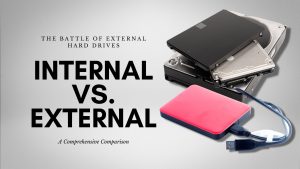
As data creation continues to accelerate, the demand for portable, high-capacity storage will only grow. The next generation of external drives is expected to feature AI-powered backup systems, automatic organization tools, and integration with smart home ecosystems.
Additionally, emerging NVMe-based drives are setting new benchmarks for speed, reliability, and efficiency. Combined with hybrid cloud synchronization, they ensure that users always have access to both local and remote backups—whether online or offline.
Conclusion: A Versatile Tool for Every Digital Lifestyle
External hard drives have evolved from simple storage accessories into essential digital tools. Whether you’re a student storing coursework, a business owner safeguarding client data, or a creative professional managing large multimedia projects, external drives offer security, flexibility, and control that cloud-only solutions can’t always guarantee.
From expanding storage space to sharing files and protecting vital documents, their versatility makes them indispensable in our connected world. With the advancements in SSD technology and security features, external hard drives remain one of the smartest and most reliable investments you can make to protect your digital life.
A Greener Alternative for Modern Drivers