
 By admin
Introduction
In the world of digital photography, zoom capabilities play a crucial role in capturing high-quality images. When purchasing a camera, whether standalone or integrated into a smartphone, users often encounter two types of zoom: optical zoom and digital zoom. While these terms may seem interchangeable, they function in distinct ways and significantly impact image quality. Understanding their differences and applications is essential for photographers and casual users alike. This article delves into the mechanics, advantages, and best practices for using optical and digital zoom, ensuring that you make the most of your camera’s capabilities.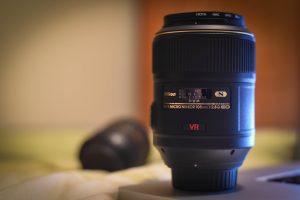
What Is Optical Zoom?
How Optical Zoom Works
Optical zoom operates similarly to traditional zoom lenses found in 35mm film cameras. It utilizes the physical movement of lens elements to magnify the subject without compromising image resolution. When you zoom in using optical zoom, the lens adjusts its focal length to bring distant objects closer, maintaining the integrity of image details and sharpness.
Advantages of Optical Zoom
- Maintains Image Quality: Because optical zoom physically adjusts the lens, the image retains sharpness and clarity.
- Ideal for Printing and Enlargements: Photos taken with optical zoom can be enlarged without significant loss of detail, making them suitable for high-resolution prints.
- Professional and Versatile Applications: Optical zoom is a preferred choice for wildlife, sports, and travel photography due to its ability to capture distant subjects without degradation.
Limitations of Optical Zoom
- Size and Bulk: Cameras with high optical zoom capabilities often require larger lenses, making them bulkier compared to compact cameras or smartphones.
- Limited by Lens Mechanism: The extent of optical zoom depends on the camera’s lens specifications, and achieving higher zoom levels may require expensive equipment.
What Is Digital Zoom?
How Digital Zoom Works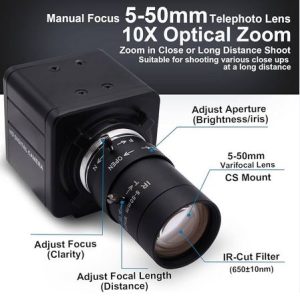
Unlike optical zoom, digital zoom does not use physical lens adjustments. Instead, it crops the image and then enlarges the remaining portion, which reduces resolution and quality. Essentially, digital zoom functions like magnifying a photo after taking it, often leading to pixelation and blurriness.
Advantages of Digital Zoom
- Compact and Convenient: Since it does not require moving lens components, digital zoom is found in nearly all smartphones and compact cameras.
- Useful for Quick Shots: If capturing a close-up image is a priority and no other zoom option is available, digital zoom can provide a temporary solution.
- Integration with AI Enhancements: Some modern smartphones use artificial intelligence (AI) to improve digital zoom quality by applying noise reduction and sharpening techniques.
Limitations of Digital Zoom
- Loss of Image Quality: Because digital zoom enlarges a cropped portion of an image, it results in noticeable pixelation and lower sharpness.
- Not Suitable for Printing: Photos taken with digital zoom often lack the resolution needed for high-quality prints.
- Not a True Zoom: Unlike optical zoom, digital zoom does not bring objects physically closer; it merely enlarges a portion of an existing image.
Best Practices for Using Zoom Effectively
1. Prioritize Optical Zoom Whenever Possible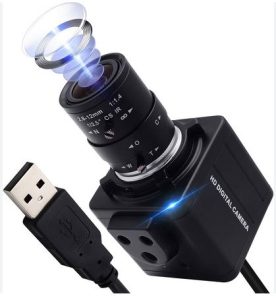
If your camera offers both digital and optical zoom, disable digital zoom in the settings and rely on optical zoom for clear, high-resolution images.
2. Get Closer to Your Subject
Instead of using digital zoom, physically moving closer to your subject helps maintain image quality while achieving the desired framing.
3. Use High-Resolution Settings
Capturing images at the highest possible resolution allows for cropping in post-processing without losing significant detail.
4. Post-Processing Alternatives
If digital zoom is the only option available, consider taking the photo at full resolution and using editing software like Adobe Photoshop or Lightroom to crop and enhance the image later.
5. Leverage AI-Enhanced Digital Zoom
Some modern smartphones integrate computational photography techniques to improve digital zoom quality. Features like Google Pixel’s Super Res Zoom or Samsung’s Space Zoom use AI to enhance sharpness and reduce noise.
Choosing the Right Camera Based on Zoom Needs
When selecting a camera, consider your photography needs and how zoom functionality aligns with them:
- For Professional Photography: Choose cameras with high optical zoom, such as DSLRs or mirrorless cameras with telephoto lenses.
- For Travel and Everyday Use: A compact camera with at least 10x optical zoom can provide versatility without added bulk.
- For Smartphone Photography: Opt for devices with multiple lenses and AI-powered zoom features to maximize quality.
Conclusion
Understanding the differences between optical zoom and digital zoom is crucial for capturing high-quality images. While optical zoom physically adjusts the lens to maintain image clarity, digital zoom merely crops and enlarges the photo, often leading to a loss in quality. For the best results, photographers should prioritize optical zoom, utilize high-resolution settings, and explore AI-enhanced zoom technologies in modern devices. Whether you’re shooting landscapes, wildlife, or casual moments, making informed zoom choices will elevate your photography experience.
Why Rolex Stands the Test of Time?