
 By admin
Mastering Digital Photography: Unlocking the Secrets to Stunning Visuals
Digital photography has transformed the way we capture and share moments, making high-quality imaging accessible to anyone with a camera or smartphone. However, creating truly captivating photos requires more than just pointing and shooting—it demands a deep understanding of technical settings, creative composition, and the nuances of light and focus. Whether you’re a beginner exploring the basics or an experienced photographer refining your craft, mastering the art of digital photography involves blending technical precision with artistic vision. This comprehensive guide dives into advanced techniques, modern tools, and practical strategies to help you create professional-grade images that stand out in a crowded visual landscape.

The Art and Science of Composition: Crafting Visual Stories
Composition is the foundation of any impactful photograph. It’s the deliberate arrangement of elements within the frame to guide the viewer’s eye, evoke emotion, or convey a narrative. A well-composed image feels balanced and intentional, while a poorly composed one can leave viewers disengaged.
The rule of thirds is a cornerstone of composition. Imagine dividing your frame into a 3×3 grid using two horizontal and two vertical lines. Positioning your subject along these lines or at their intersections creates a sense of harmony and dynamism. For example, in a landscape shot, placing the horizon along the top or bottom third—rather than dead center—adds depth and prevents the image from feeling static. In portraiture, aligning the subject’s eyes along the upper third draws attention to their expression, making the photo more compelling. This principle works across genres, from street photography to still life, and is a simple yet powerful way to elevate your shots.
Centering your subject, while intuitive, often results in a flat, uninspired composition. Instead, experiment with off-center placement—positioning the subject slightly to the left, right, or even in a corner. This asymmetry introduces tension and intrigue, particularly in candid or street photography, where it can mirror the unpredictability of real life. For instance, a lone figure walking along the left edge of the frame, with empty space to the right, can evoke a sense of solitude or anticipation.

Leading lines are another essential compositional tool. These are visual pathways—like roads, fences, rivers, or even shadows—that guide the viewer’s gaze toward the subject or through the scene. In landscape photography, a winding path through a forest can pull the eye from the foreground to a distant clearing, creating a narrative of exploration. In architectural shots, converging lines—such as those of a hallway or skyscraper—add perspective and scale, emphasizing the grandeur of the structure. Look for natural or man-made lines in your environment and use them to create depth and focus.
Framing your subject within the environment adds layers of context and visual interest. Natural frames, such as doorways, windows, or overhanging branches, draw attention to the focal point while providing a sense of place. For example, a child peeking through a window not only highlights their face but also suggests curiosity or discovery. In travel photography, framing a monument through an archway ties the subject to its cultural or historical setting, enriching the story. Experiment with unconventional frames—like reflections in water or gaps in foliage—to add a creative twist to your compositions.
Negative space, the empty areas around your subject, can also be a powerful compositional element. By leaving parts of the frame uncluttered, you emphasize the subject and create a minimalist, serene aesthetic. This technique works well in portraiture, where a plain background can highlight the subject’s expression, or in landscape photography, where a vast sky can accentuate the loneliness of a single tree. Balancing negative space with your subject requires careful consideration, but when done right, it can produce striking, high-impact images.
Mastering Light: The Soul of Photography
Light is the lifeblood of photography. It shapes the mood, reveals textures, and defines the colors within your image. Understanding how to harness both natural and artificial light is critical to producing professional-grade photos.

Natural light is often the most flattering and versatile source. The golden hours—just after sunrise and before sunset—offer soft, warm light that enhances skin tones, deepens colors, and casts gentle shadows. This time of day is ideal for portraits, landscapes, and even macro shots, as the low angle of the sun creates a natural glow without harsh contrasts. By contrast, midday light, with its direct overhead rays, can be unforgiving, causing overexposed highlights and deep shadows, especially in portraiture. If shooting at noon is unavoidable, seek open shade—under trees, awnings, or even a building overhang—to diffuse the light and achieve a more balanced effect. Alternatively, use a reflector to bounce light onto shadowed areas, reducing contrast and adding dimension.
Artificial lighting, such as flash, requires careful management. On-camera flash can flatten an image, washing out details and creating harsh shadows, particularly in portraits. Instead, use off-camera flash or attach a diffuser to soften the light, mimicking the natural glow of sunlight. For indoor shoots, position your subject near a large window to take advantage of soft, indirect light. Window light is especially effective for still life or product photography, as it highlights textures and shapes without overpowering the subject. Reflectors—whether professional or improvised (like a white sheet or foam board)—can bounce light onto shadowed areas, ensuring even illumination. In low-light scenarios, such as concerts or night street photography, a high ISO (e.g., 1600 or 3200) paired with a wide aperture (f/2.8 or lower) can capture detail without excessive noise, though modern cameras often handle ISO up to 12800 with minimal grain.
Exposure, the amount of light hitting your camera sensor, is controlled by the exposure triangle: ISO, shutter speed, and aperture. ISO determines the sensor’s sensitivity to light. Lower values (100–400) are best for bright conditions, delivering clean, noise-free images, while higher values (800–6400) suit darker environments but may introduce grain. Shutter speed governs how long the sensor is exposed to light. A fast shutter (1/1000s) freezes motion, making it ideal for sports, wildlife, or children at play, while a slow shutter (1/15s) allows more light for night shots but requires a tripod to avoid blur. Aperture, measured in f-stops, controls the lens opening. A wide aperture (f/1.8) lets in more light and blurs the background, perfect for portraits or isolating subjects, while a narrow aperture (f/11) keeps more of the scene in focus, ideal for sprawling landscapes or architectural shots.
Artificial light sources, such as studio strobes or LED panels, offer greater control but require practice. Softboxes and umbrellas diffuse light for a softer effect, while grids or snoots focus it for dramatic, high-contrast shots. Color temperature is another consideration—tungsten lights (around 3200K) cast a warm, orange hue, while daylight-balanced LEDs (around 5600K) mimic natural light. Use gels or white balance adjustments to correct color casts and ensure accurate tones.
Precision Focus: Capturing Every Detail
Sharpness is a hallmark of professional photography. A blurry image, no matter how well-composed or lit, fails to hold the viewer’s attention. Achieving consistent focus requires both technical precision and physical stability.
Autofocus is a lifesaver for most scenarios, especially in fast-paced environments like sports or street photography. However, it’s not infallible. In busy scenes—such as a bustling market or a forest with overlapping branches—it may lock onto the wrong element. Switching to manual focus gives you full control, particularly for macro photography or portraits where pinpoint accuracy (e.g., on the subject’s eyes) is critical. Many modern cameras offer focus peaking, a feature that highlights in-focus areas in real time, making manual adjustments easier and more precise. Back-button focus, where focusing and shutter release are separated, is another advanced technique, allowing you to lock focus independently of the shot.
Camera stability is equally important. Handheld shooting, particularly in low light or with long lenses, often introduces motion blur. A tripod is the gold standard for sharpness, especially for long exposures, night photography, or time-lapses. If a tripod isn’t available, brace your camera against a stable surface—like a wall, table, or rock—or use your body as a stabilizer by tucking your elbows in, leaning against a solid object, and holding your breath while shooting. Image stabilization, available in many lenses and camera bodies, can mitigate minor shakes, but it’s not a substitute for proper technique. For high-resolution sensors (e.g., 45MP or higher), even slight movement can degrade sharpness, so consider using a remote shutter release or your camera’s self-timer to eliminate hand-induced vibration.
Filling the frame with your subject is another way to enhance sharpness and impact. Zooming in or physically moving closer eliminates distracting backgrounds and emphasizes details, whether it’s the texture of a flower petal, the grain of weathered wood, or the emotion in a person’s eyes. However, be mindful of your lens’s minimum focusing distance—getting too close can cause distortion or loss of focus, especially with wide-angle lenses. For macro shots, use a dedicated macro lens or extension tubes to capture intricate details without compromising clarity.
Unlocking Advanced Camera Settings
Digital cameras are packed with features, but their complexity can be daunting. Taking the time to understand and manipulate key settings will give you unparalleled control over your results.
ISO, as mentioned, dictates light sensitivity. While high ISO is tempting for low-light shots, it’s a trade-off—grainy noise can degrade image quality. Many newer cameras, however, handle high ISO (up to 12800 or even 25600) with minimal noise, thanks to advanced sensors and noise reduction algorithms. Experiment with your camera’s ISO range to find the sweet spot for your specific model. For example, the Sony A7 IV excels at ISO 6400, while the Canon R5 maintains clarity up to 12800. In bright conditions, stick to ISO 100 or 200 for the cleanest possible image.
Shutter speed is both a technical and creative tool. Beyond freezing or blurring motion, it can add artistic effects. A slow shutter (e.g., 1s or longer) with a tripod captures silky waterfalls, smooth ocean waves, or star trails, while a fast shutter (1/4000s) isolates a hummingbird’s wings mid-flight or a sprinter crossing the finish line. Some cameras offer bulb mode, allowing exposures of several minutes for astrophotography, light painting, or capturing lightning strikes. For action shots, use continuous shooting mode (burst mode) to capture multiple frames per second, increasing your chances of nailing the perfect moment.
Aperture not only controls light but also depth of field—the range of distance that appears sharp. A shallow depth (wide aperture, low f-number) isolates subjects from their background, a technique favored in portrait, wildlife, and food photography. For example, an f/1.8 aperture on a 50mm lens creates creamy bokeh, blurring the background while keeping the subject tack-sharp. A deep depth (narrow aperture, high f-number) keeps everything in focus, essential for sprawling landscapes, architectural interiors, or group shots. Aperture also affects sharpness: most lenses are sharpest 1–2 stops down from their widest setting (e.g., f/2.8 on an f/1.4 lens), a phenomenon known as the “sweet spot.” Test your lenses to identify their optimal aperture for maximum clarity.
White balance ensures accurate colors under different lighting conditions. Auto white balance (AWB) works well in most scenarios, but manual adjustments can fine-tune the mood. For instance, setting a warmer white balance (e.g., 6000K) enhances the golden tones of a sunset, while a cooler setting (e.g., 4000K) emphasizes the icy blues of a winter scene. RAW format, if your camera supports it, allows greater flexibility in post-processing, letting you adjust white balance without loss of quality.
The Power of Post-Processing: Refining Your Vision
Even the best-shot photos can benefit from post-processing. Editing isn’t about masking flaws but enhancing the image’s inherent qualities. Software like Adobe Lightroom, Photoshop, Capture One, and Affinity Photo offers precise control over exposure, contrast, color balance, sharpness, and more.

Start with basic adjustments: correct exposure to bring out details in shadows or highlights, and tweak contrast to add depth. Use the histogram to ensure a balanced distribution of tones, avoiding clipped shadows or blown-out highlights. Color grading—adjusting white balance, saturation, or vibrance—can set the mood, whether it’s the cool blues of a winter scene, the warm oranges of a sunset, or the muted pastels of a vintage aesthetic. Local adjustments, such as dodging and burning, allow you to selectively brighten or darken specific areas, adding dimension and focus.
Sharpening tools enhance fine details, but apply them sparingly to avoid an unnatural, gritty look. Many programs offer masking options to sharpen only the subject, preserving smoothness in the background or sky. Noise reduction is another critical edit, especially for high-ISO shots. Modern tools use AI to distinguish between noise and detail, ensuring clarity without sacrificing texture.
Cropping is a simple yet powerful edit. It can refine composition by removing distractions, adjusting the aspect ratio for specific platforms (e.g., 4:5 for Instagram, 16:9 for YouTube thumbnails), or emphasizing the subject. Straightening horizons or vertical lines, especially in architectural or landscape shots, ensures a polished finish. Tools like the rule-of-thirds grid overlay can guide your crop for optimal balance.
Avoid over-editing, which can make images look artificial. Heavy filters, excessive noise reduction, or oversaturated colors often detract from the photo’s authenticity. Aim for edits that enhance, not overpower, the original shot. Subtlety is key—viewers should notice the beauty of the image, not the editing.
Continuous Growth Through Experimentation and Learning
Photography is a journey of continuous improvement. The more you shoot, the more you’ll discover your unique style and creative voice. Experimentation is essential—try unconventional angles, like shooting from ground level for a worm’s-eye view, from above for a bird’s-eye perspective, or at a 45-degree angle for dynamic tension. Play with different genres, from abstract macro shots to sweeping panoramic landscapes, to expand your visual vocabulary.
Studying the work of master photographers—Ansel Adams for landscapes, Annie Leibovitz for portraits, Steve McCurry for travel, or Peter McKinnon for modern digital workflows—can inspire new approaches. Online platforms like the X Platform offer a wealth of real-time feedback, trends, and community insights, letting you see what resonates with audiences and why. Follow hashtags like #PhotographyTips or #LandscapePhotography to discover fresh ideas and techniques.
Regular practice hones your skills and builds confidence. Set challenges, like capturing motion in a busy city, shooting only in black and white for a week, or mastering long-exposure techniques. Joining photography communities, either locally or online, provides constructive critique, networking opportunities, and fresh perspectives. Workshops, both in-person and virtual, offer hands-on learning and access to expert guidance.
Leveraging Modern Tools and Trends
The digital photography landscape is constantly evolving, driven by advancements in technology and shifts in visual culture. Mirrorless cameras have overtaken DSLRs in popularity due to their lighter weight, faster autofocus, and superior video capabilities. Brands like Sony, Canon, Nikon, and Fujifilm lead the market, with models like the Sony A7 IV (45.7MP, 4K video), Canon R5 (45MP, 8K video), Nikon Z9 (45.7MP, 120fps), and Fujifilm X-T5 (40MP, retro design) offering cutting-edge sensors, dynamic range, and weather sealing. These cameras cater to professionals and enthusiasts alike, with features like in-body stabilization, AI-based autofocus, and wireless connectivity.
Smartphones have become formidable tools, with devices like the iPhone 16 Pro, Google Pixel 9, and Samsung Gala
xy S25 Ultra boasting computational photography features—such as night mode, portrait effects, HDR, and AI-enhanced editing. These advancements make high-quality photography accessible to anyone, anywhere. For example, the iPhone 16 Pro’s 48MP sensor and ProRAW format rival entry-level mirrorless cameras, while the Pixel 9’s AI-driven noise reduction excels in low light.
Social media platforms shape how photos are consumed and shared. Vertical formats dominate on Instagram and TikTok, where 9:16 or 4:5 ratios maximize screen real estate, while high-resolution, wide-aspect images (e.g., 3:2 or 16:9) thrive on platforms like 500px, Flickr, or Behance. Staying attuned to these trends ensures your work reaches its intended audience effectively. Hashtags, captions, and geotags can boost visibility, but prioritize quality over quantity—algorithm changes on platforms like Instagram inc
reasingly favor engagement over mass posting.
Drones have opened new frontiers in aerial photography, offering perspectives once reserved for helicopters or planes. Compact models like the DJI Mini 4 Pro (48MP, 4K video, 34-minute flight time) or Autel EVO Nano+ (50MP, obstacle avoidance) deliver professional-grade stills and footage, perfect for landscapes, events, real estate, or adventure photography. Drones also enable creative techniques, such as top-down shots, orbiting panoramas, or time-lapse sequences.
AI tools are transforming editing workflows. Software like Luminar AI, Topaz Labs, or Adobe’s Sensei-powered features can automate sky replacement, skin retouching, object removal, or noise reduction, saving time without sacrificing quality. For example, Luminar’s AI Sky Enhancer can turn a dull overcast sky into a vibrant sunset, while Topaz DeNoise AI preserves detail in high-ISO shots. While these tools are powerful, use them judiciously to maintain creative control—over-reliance on automation can dilute your artistic vision.
Practical Tips for Everyday Shooting
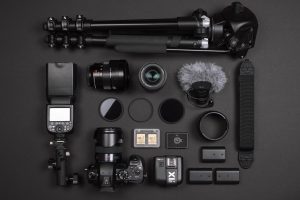
Beyond technical mastery, practical habits can streamline your workflow and improve your results. Always carry spare batteries and memory cards, especially for long shoots or travel—modern cameras, especially those with 4K video or high-resolution sensors, drain power quickly. A lightweight tripod or monopod adds stability without bulk, while a gimbal is ideal for smooth video or dynamic stills. Cleanin
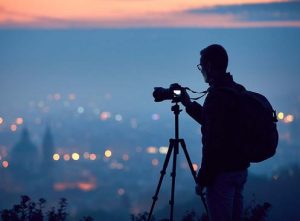
g your lens regularly—using a microfiber cloth, blower, and lens pen—ensures spotless images, free of dust or smudges.
Backup your photos frequently, either to an external hard drive (e.g., WD My Passport, Samsung T7 SSD) or cloud storage like Google Drive, iCloud, or Dropbox. Organize your library by date, location, theme, or project for easy retrieval—software like Lightroom or Apple Photos can tag and categorize files automatically. When traveling, scout locations in advance using apps like Google Maps, PhotoPills, or SunSurveyor, which predict sunrise, sunset, moon phases, and star positions. These tools help you plan shots with optimal lighting and composition.
Safety matters, too. Protect your gear from extreme weather with rain covers, dry bags, or weather-sealed camera bodies and lenses (e.g., Canon EOS R6, Nikon Z7 II). In crowded areas, use a camera strap, sling bag, or backpack with anti-theft features—brands like Peak Design and Pacsafe offer secure, ergonomic options. When shooting in public, be mindful of privacy laws and cultural norms, especially in sensitive locations like religious sites, private property, or areas with security restrictions. Always ask permission before photographing people, particularly in portrait or street photography, to avoid ethical or legal issues.